

Before you start
You need to be able to open TestPulse and read a plan containing test cases. Execution results are needed to see more than an unexecuted campaign. Also prepare the information your project requests: title, environment, and visible required business fields.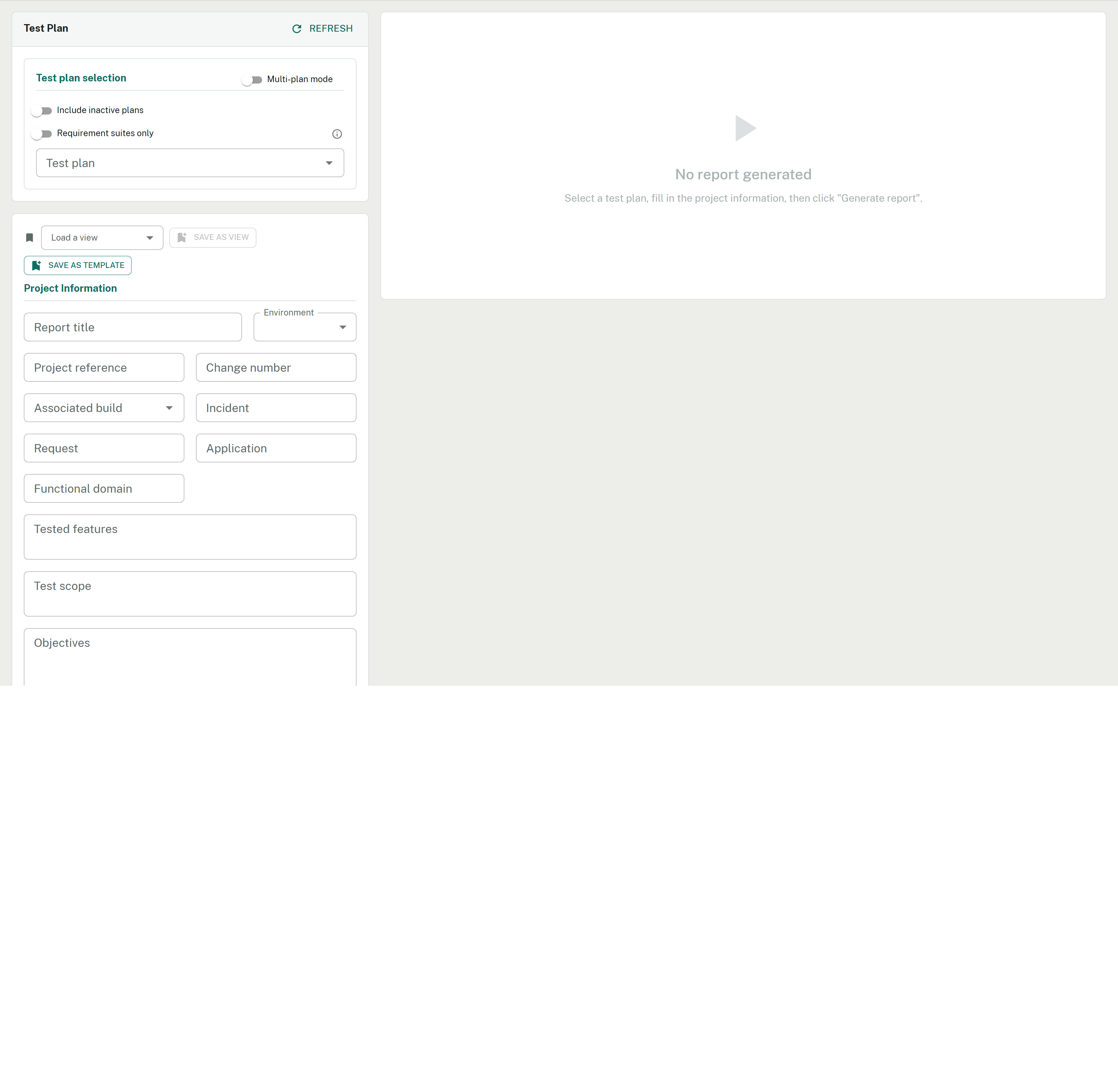
The Report tab on arrival: selection on the left, the report panel still empty on the right.
Open TestPulse
In your project, go to Test Plans and open TestPulse, then the Report tab. If the hub is missing, check the installation.
Choose the scope
Select a plan, then check the included suites. Keep to one plan for this first attempt.You should see: the selected plan’s name and suites to include. Selecting a plan does not download a document.
Complete the form
Fill in the required fields shown: for example, the title First campaign report and the environment actually tested. Other required fields depend on your configuration; do not assume they are prefilled.If a value is missing or has the wrong format, the validation message identifies the field to fix.
Generate and read the report
Select Generate and wait for loading to finish. The report appears on screen.You should see: the correct title, scope and test results. Check these before exporting. Generation also saves a snapshot in your personal history; it does not modify test results.
Export the PDF
In the generated report’s export toolbar, select PDF. Open the downloaded file and compare its title, scope and counters with the displayed report.The other buttons produce Word, Excel, HTML or PowerPoint. If PDF is hidden, check export button visibility.
What you just produced
You now have a report viewable in TestPulse, a personal history snapshot and a local PDF. Its content reflects the selected suites, available data and report options at generation time. Sharing the file or sharing the report to the project is a separate action.Where to go next
The first report, step by step
Repeat the path with an exercise and checkpoints.
Understand a NO-GO
Read the verdict’s causes and find the evidence.
A complete exploration
Go from charter to tracking Task and PDF.
Export formats
Choose the right document for your audience.